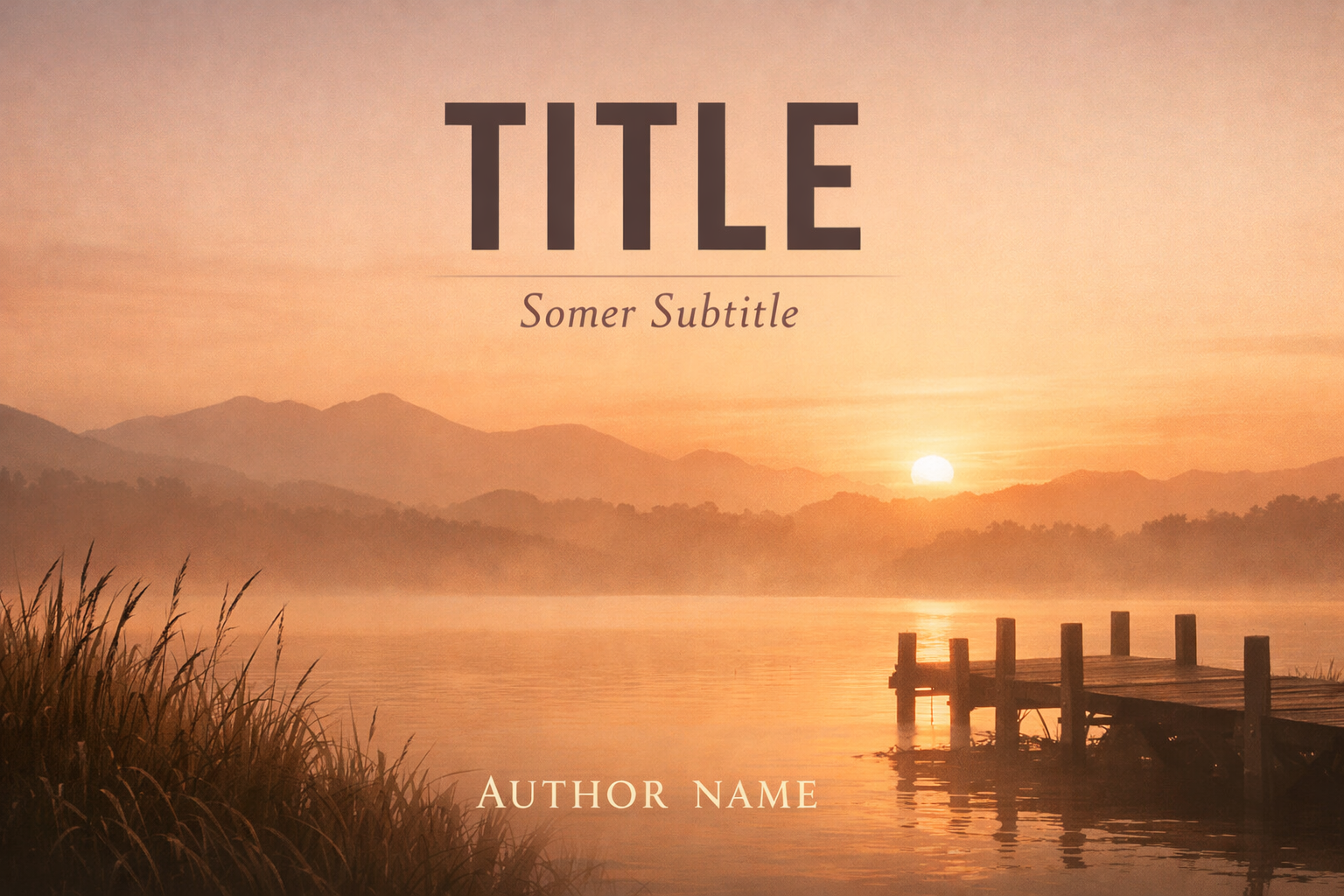
Typography on a book cover does two jobs: it communicates the book’s title, series, and author, and it signals genre and tone. For self-publishing authors preparing their covers, the single most common problem is weak hierarchy — title, subtitle, and author name competing for attention or disappearing entirely at thumbnail size. This article gives practical, repeatable rules you can use during design and review to create a reliable hierarchy that works at both thumbnail and full cover scale.
Why hierarchy matters (and what to test for)
A strong typographic hierarchy ensures readers can do three things in a glance:
- Read the title quickly on thumbnails and retail grids.
- Understand the subtitle or series information without visual clutter.
- Locate the author name in a predictable place that supports discoverability and branding.
When you review covers, test these three conditions: thumbnail legibility, full-size balance, and cross-format consistency (ebook, paperback, audiobook). If the title fails the thumbnail test, nothing else on the cover will save it.
Anatomy of cover typography
Breaking the cover into typographic roles helps you design consistently:
- Primary title — the most important element. It must be readable in small sizes and communicate the book’s identity.
- Subtitle / tagline — secondary information that clarifies genre, stakes, or audience. It should support the title without overpowering it.
- Author name — supports author branding and discoverability. Placement and prominence depend on author recognition and genre norms.
Variables that create hierarchy
Hierarchy is built from a combination of variables. Use combinations rather than a single change; small, consistent adjustments read better than ad-hoc extremes.
- Size — the most obvious cue. Increase title size first, then subtitle and author accordingly. Prefer proportion over absolute sizes.
- Weight — bolder faces draw attention. A heavy weight for a short title can be a good alternative if scale is limited.
- Case — UPPERCASE reads as louder; small caps and title case are subtler. Reserve all caps for short, punchy titles or special design treatments.
- Tracking and kerning — tighter tracking can increase perceived size, but too-tight tracking harms legibility at small sizes.
- Leading — line spacing affects readability for multi-line titles. Avoid cramped leading for multi-word titles on covers and thumbnails.
- Color and contrast — hue and contrast control visibility. High-contrast choices (light text on dark backgrounds or vice versa) usually perform best for thumbnails.
- Placement — top, centre, or lower third changes emphasis. Titles near the top can stand out on mobile grids; centred titles often work for literary and minimalist genres.
- Typeface style — decorative display faces can add personality but reduce readability; combine them with a neutral partner for subtitles or author lines.
Practical scale systems (how to choose proportion)
Instead of guessing point sizes, pick a modular scale and use ratios to set sizes. A few practical ratios and how they read:
- Subtle: 1 : 1.25 — conservative, modern, good when title is long or when subtitle needs to be readable.
- Balanced: 1 : 1.333 (perfect fourth) — a common, comfortable hierarchy for most genres.
- Dramatic: 1 : 1.618 (golden ratio) — strong emphasis on title, useful for short, powerful titles in genre fiction.
Example workflow to set sizes using a scale:
- Pick a unit based on cover height (see percentage method below) or a base point size for the title at full cover scale.
- Multiply by your chosen ratio to set subtitle and author sizes, then fine-tune weight and case.
If you prefer percentages: set the title height to roughly 6–12% of the cover’s vertical dimension at full-size. Use the modular scale to set subtitle and author heights relative to that title size. The lower end of 6% suits long titles or minimalist covers; the upper end of 12% works well for short, bold titles.
Genre-specific guidance
Genre expectations impact acceptable hierarchy. These are directional suggestions, not rules.
- Thrillers / commercial suspense — Large, bold titles (dramatic ratio) with tight tracking; subtitles often short or omitted. Author names for established authors can be nearly as prominent as the title.
- Romance — Title and author name both important; consider balanced scale and softer type styles. Subtitles are rare but should be unobtrusive when used.
- Literary fiction — Subtle hierarchy, more negative space, often smaller title and prominent author name depending on reputation. Title-case or small-caps treatments are common.
- Nonfiction (how-to, business, memoir) — Clear hierarchy where subtitle carries the value proposition. Use a larger subtitle relative to the title when the subtitle communicates the hook.
- Children’s — Big, friendly title type, high contrast, playful weights. Subtitle and author names secondary and simple.
Subtitle strategy for nonfiction
Nonfiction subtitles often carry essential keywords and audience signals. When a subtitle must communicate a selling proposition, prioritize readability over stylistic subtlety:
- Use a neutral sans serif for subtitle copy to maximise legibility at small sizes.
- Keep subtitle lines short and break copy where natural: nobody reads dense subtitle blocks on thumbnails.
- Apply a slightly tighter leading than body text but avoid compressing lines so much that they merge at small sizes.
Author name: placement and prominence
Decide how prominent the author name should be before you design. Consider:
- New authors — make the author line modestly sized and placed where it doesn’t compete with the title (bottom or just below the title).
- Established names — treat author name as a brand element; it can be nearly as prominent as the title and may sit above or below the title depending on genre conventions.
- Series and co-authors — use consistent author-name placement across a series. For co-authors, keep names equal in weight or separate them with layout devices so hierarchy remains clear.
Line breaks, hyphenation, and multi-line titles
Where a title wraps matters. Follow these guidelines:
- Break titles on natural phrases; avoid single-word lines unless intentional for emphasis.
- Prefer even line lengths to avoid an unbalanced block unless an asymmetric layout is part of the design.
- Turn off automatic hyphenation for titles — hyphens reduce readability in thumbnails and can look like artifacts at small sizes.
Color, contrast, and texture
Color choice can rescue or ruin legibility. Use these practical rules:
- Always test text over artwork at the thumbnail size. Subtle gradients and textured backgrounds that look good full-size often kill contrast in thumbnails.
- If artwork reduces contrast, add a simple, consistent device: solid or semi-transparent shape behind text, a hairline stroke, or a subtle drop shadow. Keep devices crisp and avoid elaborate effects that create noise at small sizes.
- Prefer chromatic contrast (light on dark, dark on light). Avoid low-contrast color pairings for critical information like titles.
Thumbnail-first workflow: how to design and test
A thumbnail-first workflow keeps the primary legibility requirement central to decisions.
- Create the cover at full resolution and place your title, subtitle, and author text using the scale system you chose.
- Export or preview a small thumbnail that matches common retailer grid sizes (e.g., a 1:1.6 thumbnail used by many stores). In absence of exact numbers, zoom out the canvas until it’s similar to the size you usually see in store lists.
- Check that the title is legible and distinguishable from the background. If it’s unreadable, increase size, weight, contrast, or simplify the background behind the title.
- Confirm subtitle legibility — if it isn’t necessary at thumbnail size, plan for it to be a secondary reading at full size; that’s acceptable for many fiction covers.
- Ensure author name remains readable or at least identifiable; if not, reduce its prominence at thumbnail scale and rely on retailer metadata to communicate authorship.
Cross-format considerations (ebook, print, audiobook)
Each format imposes different constraints:
- Kindle/ebook thumbnails — small, square or portrait thumbnails dominate. Title legibility matters most. See the Kindle cover workflow here: How to create a professional Kindle cover.
- Paperback and full-wrap covers — you have more space and can add vertical rhythm, spine treatment, and author bio on the back. The spine typography must be tested at the physical spine width.
- Audiobooks — often displayed square and small in grids. Apply thumbnail-first rules and simplify artwork to maintain legibility.
Common mistakes and how to fix them
- Too many competing weights — limit strong weight contrasts to one or two elements. If title and author are both ultra-bold, reduce one to medium weight.
- Decorative faces for everything — use display faces sparingly, paired with a neutral partner for supporting text.
- Relying on color alone — color difference without luminance contrast often fails at small sizes and in greyscale previews for print proofs.
- Ignoring the spine — for print, check that spine text remains legible at the calculated spine width. Don’t assume small-cap treatments will print cleanly without proofing.
Checklist to use before you finalize a cover
- Thumbnail test: title legible, subtitle either readable or intentionally secondary.
- High-contrast passes: view in greyscale to confirm luminance contrast.
- Print spine check: for paperback/hardcover, preview spine text at actual spine width and proof a PDF if possible.
- Series consistency: if part of a series, compare with other covers for consistent author placement and title scale.
- Accessibility: avoid tiny body-copy-style subtitles; ensure there is adequate space between stacked lines for readability.
Implementing hierarchy in Cover Studio AI and your design tool
When you work in a cover tool (including browser-based tools like Cover Studio AI), apply the scale system and lock the typographic roles as reusable styles. That makes it easy to maintain consistent hierarchy across multiple covers or series entries. For guidance on using cover tools and turning front-only artwork into production-ready covers, see these practical resources:
- How to choose the right book cover font for Amazon KDP — for font selection and licensing considerations that affect hierarchy choices.
- How to create a professional Amazon KDP paperback book cover — practical steps for making a full print-ready cover where spine and back cover typography matter.
- Kindle cover maker guide — tips to optimise ebook covers for thumbnail displays.
Practical examples (templates you can build)
Here are three simple templates you can adapt. For each, start with the title height as the reference unit and use a modular ratio to size the other elements.
Template A — Short punchy title (genre fiction)
- Title: large, condensed or bold display (dramatic ratio ~1.618).
- Subtitle: small, neutral sans serif; keep to one line if possible.
- Author: medium weight, lower third placement; may equal subtitle in size for new authors.
Template B — Nonfiction with value subtitle
- Title: medium-large, clear sans serif or slab serif (balanced ratio ~1.333).
- Subtitle: near-title size but slightly smaller; use short, keyword-rich lines to communicate benefit.
- Author: small-to-medium, lower placement; if the author’s name is a selling point, increase size to match the title’s weight hierarchy.
Template C — Literary or minimalist
- Title: modest size, generous spacing, title-case or small caps (subtle ratio ~1.25).
- Subtitle: smaller and unobtrusive or omitted.
- Author: proportionally prominent depending on reputation; tends to sit above or below the title in a balanced layout.
Final notes: iterative testing wins
Designing typographic hierarchy is an iterative process. Start with a scale and roles, test thumbnails and print proofs, then refine weight, color, and spacing. Document the sizes and treatments you choose as repeatable styles so you can apply the same system across series or future releases.
If you want a quick checklist to keep at hand: (1) set a modular scale, (2) apply it to title/subtitle/author, (3) test thumbnails and greyscale, (4) proof spine for print, and (5) lock styles for reuse. Over time, those simple steps yield consistent, market-ready covers that communicate clearly in any retail context.