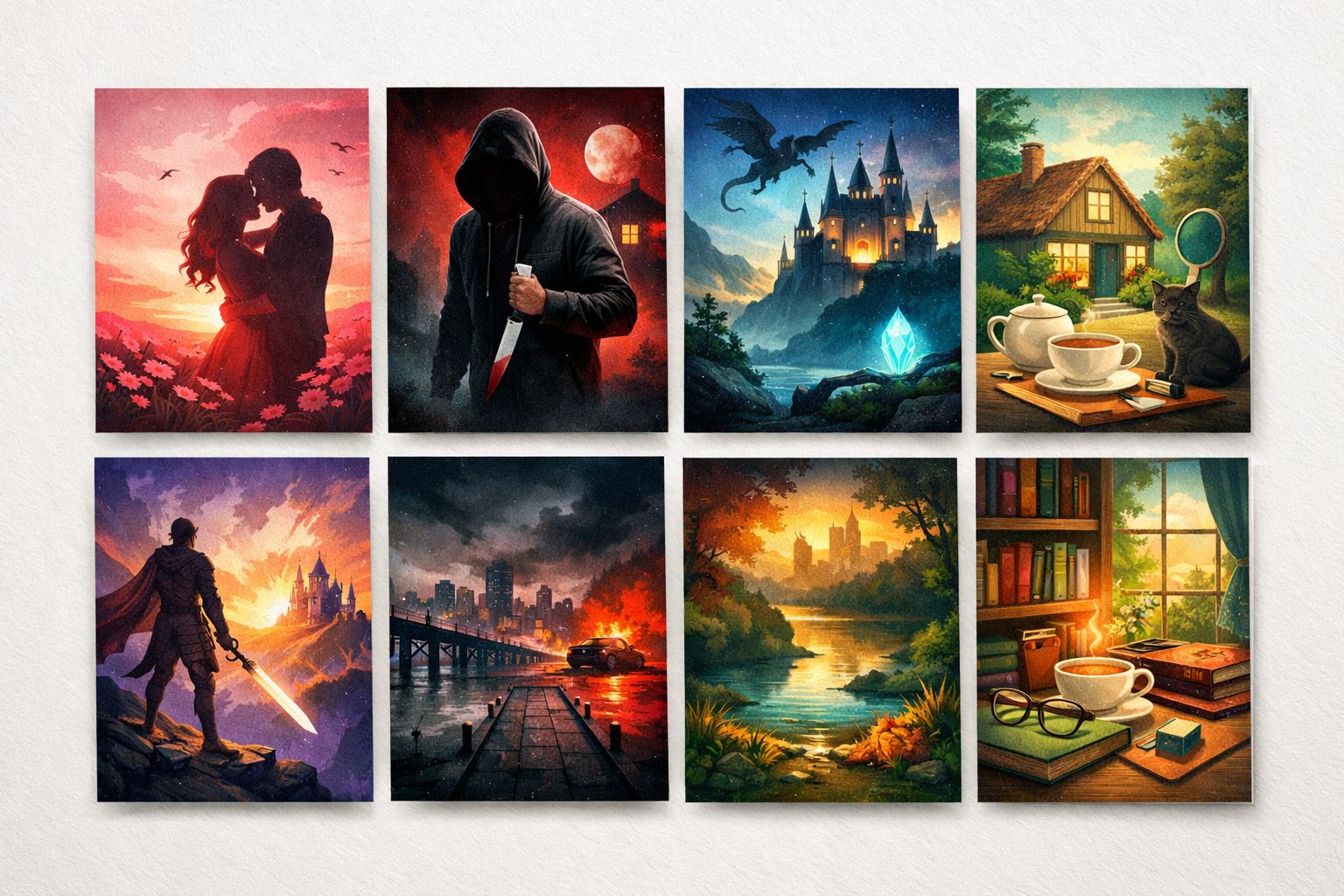
Color is often the first thing a potential reader notices. In a crowded retailer grid or a small audiobook thumbnail, color can do more of the heavy lifting than a clever title or detailed illustration. For self‑publishing authors preparing professional covers, the goal is simple: pick colors that quickly communicate genre and mood while keeping the cover readable, brandable, and technically correct for multiple formats.
What this guide covers (and what it does not)
This article focuses on how to choose and test color palettes that align with genre expectations. It emphasises practical, repeatable checks you can run on thumbnails, proofs, and ad creatives. It does not attempt to replace the broader design fundamentals covered elsewhere—if you need a refresher on layout and imagery, see our guide on How to Design a Fiction Book Cover That Looks Professional.
Why color matters for genre signalling
Retail browsing is fast: readers often form an impression in a fraction of a second. Color contributes to that impression in three ways:
- Instant category cue — Certain colors are culturally associated with genres (warm pastels for romance, desaturated blues and greys for thrillers, jewel tones or muted earth tones for fantasy and historicals).
- Emotional tone — Saturation, warmth, and contrast influence perceived mood (high saturation feels energetic; low saturation feels restrained or nostalgic).
- Readability and hierarchy — Color choices affect how well title, subtitle, and author name read at thumbnail size or on phone screens.
An uncovered angle: balancing genre signals with distinctiveness and accessibility
Many guides list “what colors each genre uses.” That’s useful, but incomplete. The uncovered angle here is the practical trade‑off between three demands:
- Match audience expectations so your book reads as “the right kind of book.”
- Be distinctive enough to stand out in retailer grids and paid ads.
- Remain accessible and technically reliable across digital and print, including colorblind readers and CMYK print shifts.
This article provides a workflow and tests to manage those trade‑offs so you can make confident color decisions that survive real publishing constraints.
Quick palette reference by broad genre (starting points, not rules)
Below are starting palettes commonly seen in marketplace thumbnails. Use them as a baseline, then customise to your voice and subgenre.
- Romance (contemporary, women's fiction) — warm, saturated midtones and pastels: warm pinks, coral, cream, soft peach. High contrast between title and background improves thumbnail readability.
- Romance (historical) — muted warm tones, antique golds, sepia, desaturated rose, soft ivories.
- Thriller / Crime — desaturated palettes, deep contrast: near‑black, steel blue, muted crimson, cold greys. Strong contrast or a single accent color (blood red, neon) helps urgency.
- Mystery / Cozy mystery — softer, earthier tones: warm neutrals, teal accents, muted orange, low saturation pastels. Maintain warmth over harsh contrast to fit the subgenre’s welcoming feel.
- Fantasy — jewel tones (deep emerald, royal purple, sapphire), or desaturated earth tones for grimdark. Consider a single luminous accent to signal magic.
- Sci‑fi — cool neons, cyan, electric purple, slate greys; high contrast for technological themes. Minimalist sci‑fi often uses monochrome with a single colored accent.
- Nonfiction (business / self‑help) — clean, confident colors: navy, teal, muted orange, olive. Conservative palettes often convey authority; brighter accents signal a modern approach.
- Memoir / Literary — restrained, cinematic palettes: muted blues, warm neutrals, soft black; avoid overly bright, genre‑incongruent colors.
Note: subgenre, audience demographics, and retailer category all affect ideal choices. Use the above as prompts, not prescriptions.
Step‑by‑step workflow for choosing your cover palette
This workflow helps you pick a palette, test it in real contexts, and finalise a production‑safe version.
1. Define the genre signal and three adjectives
Write a short descriptor like: "Contemporary romance — warm, intimate, playful" or "Psychological thriller — cold, tense, urgent." Keep it next to you while choosing colors.
2. Gather references
Create a moodboard of 8–12 covers from your target category. Pay attention to dominant background colors and high‑contrast accents. Look at how similar covers differ from bestsellers — where you can take risks, and where you must conform.
3. Pick a base, a secondary, and an accent
- Base: the dominant background color or texture.
- Secondary: supports large areas of copy or photography toning.
- Accent: a high‑contrast color for title or a small graphic element to provide focal interest.
4. Build the palette in RGB, then convert to CMYK
Work in RGB for screen design, but convert and preview in CMYK to anticipate print shifts. Some saturated RGB colors, especially strong blues and cyans, lose vibrancy in CMYK—adjust the values and recheck contrast after conversion.
5. Run the accessibility and thumbnail checks (described below)
Do a contrast check readable at 200px and 60px thumbnails, simulate common color‑vision deficiencies, and create a grayscale proof. If title legibility fails in any of these, adjust either color or typography until it passes.
6. Create a small A/B test set
Design two variations that share composition and typography but use different base/accents. Use these in ad creatives or a reader panel to measure preference. When testing in ads, keep copy and targeting identical so color is the primary variable.
Specific tests to run (and how to interpret them)
Thumbnail readability
Why: Most readers first see your cover at small sizes. What to do: export thumbnails at typical display sizes (e.g., 140×200, 300×300, and the size used in retailer grids). Check title, author name, and the dominant tonal shape. If the title disappears, increase contrast between title and background or add a subtle outline or drop shadow tuned for thumbnails.
Colorblindness simulations
Why: Around 8% of males and 0.5% of females worldwide have some form of color vision deficiency; common simulations are deuteranopia and protanopia. What to do: use a simulator (many image editors and browser extensions offer this) and confirm your cover still reads: the dominant tonal contrasts and title legibility must survive the simulation. If your design relies solely on color differences (e.g., red text on green background), change either palette or add a shape or texture to separate elements.
Grayscale test
Why: Thumbnails, print proofs, or black‑and‑white previews (e.g., some catalogs) may render without color. What to do: flatten the cover to grayscale and check that the composition maintains clear hierarchy. If the story is lost, increase tonal contrast.
CMYK proof and paper test
Why: Bright RGB colors often lose saturation when converted to CMYK for print. What to do: convert to CMYK and examine the hue shifts. Order a short run or proof on your chosen paper stock; matte and uncoated papers will mute colors differently than glossy. Adjust as needed and recheck contrast.
Practical palette recipes and common pitfalls
Recipe: High‑impact thriller thumbnail
- Base: near‑black or deep charcoal (RGB 18,18,20)
- Accent: saturated crimson or warm red (RGB 204,20,30)
- Text: off‑white (RGB 250,250,248) or warm grey for secondary copy
- Tip: Use the accent sparingly—title blocks or a single graphic line—to avoid visual clutter.
Recipe: Modern romance that reads well on mobile
- Base: soft pastel (warm pink, peach, or cream)
- Accent: deep navy or charcoal for title to ensure legibility at thumbnail
- Text: high‑contrast dark for body; consider subtle texture overlay to avoid flatness
- Tip: Avoid low‑contrast pale text over a pale background even if it looks “soft”; thumbnails need stronger separation.
Common pitfalls
- Relying on mid‑tone text over a mid‑tone background — this kills thumbnail legibility.
- Choosing a palette that matches the genre but blends into retailer category pages (many romance pages are pink; choose a distinct accent or layout to stand out).
- Ignoring color shifts to CMYK — neon blues and bright cyans are frequent surprises.
Making color choices for a series
When you need a consistent series look, prioritise a repeatable rule set rather than identical covers. Examples of rules:
- Keep a single accent color across the series (title treatment) while changing the base color per book.
- Maintain a consistent layout and typography, but vary the dominant color to signal the book’s emotional arc.
- Use tonal families (all cool, all warm) so spines look cohesive in a retailer grid and on a bookshelf.
For a deeper look at consistent series systems, see Planning a Consistent Book‑Cover Series for Author Branding.
Tools and file workflow
Suggested tools: any image editor that supports RGB and CMYK and can export thumbnails (Photoshop, Affinity, or browser tools that export high‑quality JPEG/PNG). For colorblind simulation and contrast checks, browser extensions and built‑in accessibility tools in major image editors work well.
File workflow checklist:
- Create master in RGB (high resolution).
- Export thumbnails at common sizes and check on mobile and desktop screens.
- Convert to CMYK and export a print proof PDF; order a physical proof if possible.
- Store a palette file or swatches for future covers to keep series consistency.
Testing in the market
Where practical, use A/B ad creatives or small reader panels to test palette variations. Keep these tips in mind:
- Control for copy and targeting so you measure color effects accurately.
- Measure meaningful metrics: click‑through and preorder or add‑to‑cart behaviours, not just impressions.
- Look for consistent preferences across multiple placements (social feed, retailer grid, audiobook library), not a single outlier result.
Final checklist before you export
- Does the cover read as the correct genre in a 100‑cover retailer grid? (Quick manual comparison.)
- Can the title be read at thumbnail sizes? Export and view at 60–300px widths.
- Have you simulated colorblindness and confirmed hierarchy remains clear?
- Have you checked CMYK conversion and ordered a print proof if your book will be printed?
- Is the palette documented for future branding and series covers?
Where to go next
If you want help applying these color rules inside a design tool, our cover‑design workflow guides can help with layout and typography choices that work with your palette. Useful reading:
- How to Design a Fiction Book Cover That Looks Professional — broader layout and imagery guidance.
- How to Test Whether a Book Cover Works at Thumbnail Size: A Practical Checklist and Test Protocol — detailed thumbnail tests referenced above.
- Planning a Consistent Book‑Cover Series for Author Branding — rules and templates that make series palettes repeatable.
Colors are powerful signals. By combining clear genre intent, practical palette recipes, and a repeatable testing routine, you can create covers that communicate instantly, read reliably across formats, and still give you room to stand out.