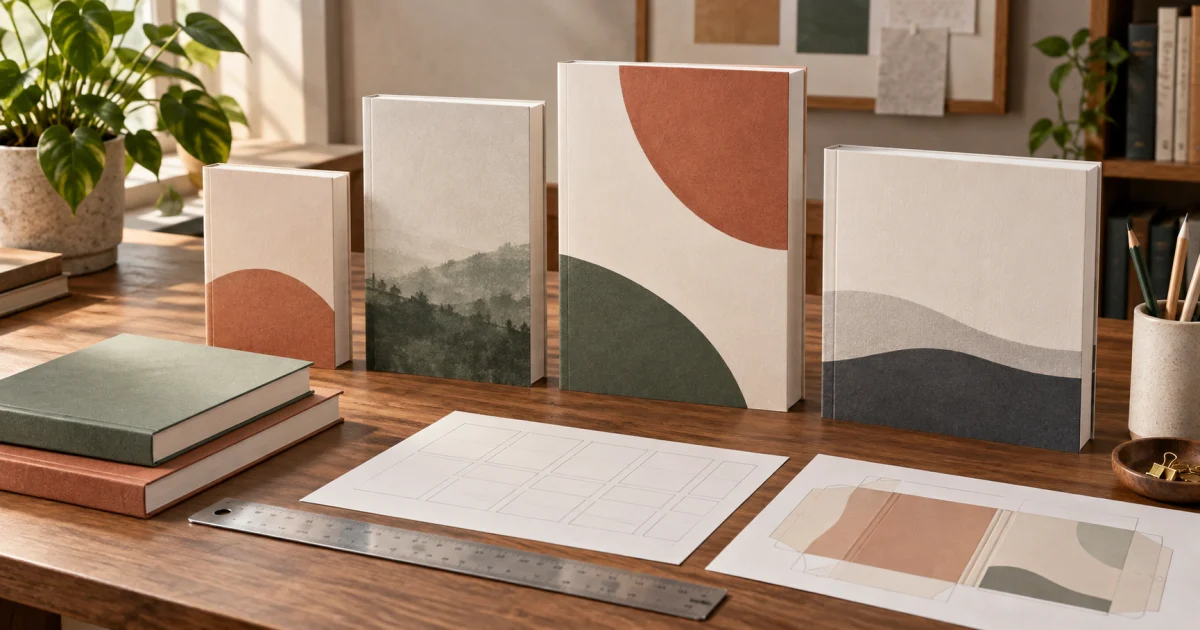
Choosing a book trim size means choosing the finished width and height of every page after printing and cutting. It influences how the book feels in a reader’s hands, how many words fit on a page, how thick the spine becomes, what the book costs to print, and how the cover must be composed.
The practical answer is to choose trim size before final interior formatting and before calculating the print cover. For many text-led books, 5.5 × 8.5 inches or 6 × 9 inches is a sensible comparison point. Compact fiction and poetry often suit smaller formats; manuals, workbooks, and illustrated nonfiction may need larger pages. Those are starting points, not universal rules. The right choice must also be supported for your binding, ink, paper, page count, and sales marketplace.
This guide focuses on that choice. If you already know your trim and need the complete back + spine + front measurements, use the Book Cover Sizes and Dimensions guide or go directly to the paperback cover calculator.
Book Trim Size at a Glance
| Trim size | General character | Often considered for | Cover-design implication |
|---|---|---|---|
| 5 × 8 in | Compact and intimate | Novellas, poetry, short fiction | Less room for long titles and back-cover copy |
| 5.25 × 8 in | Compact trade format | Literary fiction, memoir, essays | Refined proportions with a relatively narrow front panel |
| 5.5 × 8.5 in | Familiar, balanced trade size | Novels, memoir, general nonfiction | Flexible proportions for image-led or typographic covers |
| 6 × 9 in | Roomy and widely used | Novels, business, history, self-help | More front-cover area and often fewer interior pages |
| 7 × 10 in | Large trade/reference format | Textbooks, technical books, manuals | More space for diagrams and structured information |
| 8 × 10 in | Broad, visually generous | Illustrated nonfiction, journals, workbooks | Artwork needs enough resolution for a larger printed area |
| 8.5 × 11 in | Full-size workbook format | Activity books, manuals, educational workbooks | Layout and cover must work at a conspicuously large scale |
Treat these associations as design clues, not platform guarantees. A publisher’s available combinations can change by marketplace and production option. Confirm the exact trim size in the publishing account before laying out the interior or cover.
What Is Book Trim Size?
Trim size is the final page size after the printer removes the excess paper around the edges. A book described as 6 × 9 inches has a finished front cover and back cover panel approximately six inches wide and nine inches high.
Trim size is not the complete print-cover size. A paperback upload normally contains a back panel, a calculated spine, a front panel, and the required outer bleed. A case-laminate hardcover also needs format-specific board, hinge, and wrap allowances. That is why selecting “6 × 9” does not mean creating a 6 × 9 print-cover PDF.
The distinction matters early. Trim size controls the interior page geometry; the final interior controls page count; page count and paper affect spine width; and the spine changes the full cover width. The production sequence is:
choose trim → format the interior → finalize page count and paper → calculate the cover → design and export
Changing trim late can restart most of that sequence.
How to Choose the Right Trim Size
Begin with the reading experience rather than a list of popular measurements. Ask what the reader must do with the book, how dense the material is, and where the book should feel at home.
Match the format to the type of book
A novel is held and read for long stretches, so portability, line length, and familiar proportions matter. A workbook must leave room to write. A technical manual may need wide tables, code, or diagrams. A gift book may depend on photography and shelf presence. Poetry may use white space as part of its voice.
Look at several recent, professionally produced books for the same reader. Compare a small range and note what the size helps each book accomplish. Market familiarity can reassure a buyer, while an unusual proportion should have a deliberate editorial reason.
Consider the amount and structure of the content
Word count alone does not determine page count. Font, type size, line spacing, margins, chapter openings, headings, tables, illustrations, footnotes, and blank pages all affect pagination. The same manuscript can become substantially longer in a compact trim and shorter in a larger one.
Create sample interior pages at two plausible trim sizes before committing. Include the hardest pages—not only an easy page of body text. Test a chapter opening, a dense page, a table or illustration, and any repeated feature such as exercises or callouts.
Protect readability
Avoid choosing a small trim merely to make the object feel compact if the result requires cramped margins or tiny type. Likewise, a large trim does not automatically improve readability; excessively long lines can make it harder for the eye to find the next line.
Judge the whole text block: font, point size, line length, leading, margins, and paragraph treatment. Print sample pages at actual size. A monitor can hide physical-scale problems because it lets you zoom freely.
Think about portability and shelf presence
Smaller books tend to feel personal and portable. Larger books can feel authoritative, visual, or practical, but may be less comfortable for extended handheld reading. A narrow literary novel and a letter-size workbook make different promises before the reader sees a word.
The trim also changes the cover’s proportions. A concept built around a tall central figure may adapt easily to a narrow format. A landscape scene, long title, or multi-line subtitle may benefit from a wider panel. Let genre and usability lead, then make the cover composition serve the selected object.
How Trim Size Changes Page Count and Spine Width
Changing trim size changes the available text area. If typography and margins remain broadly comparable, a larger page usually accommodates more text and can reduce page count. A smaller page usually accommodates less text and can increase it.
That page-count change reaches the cover. For a bound print book:
trim size + interior layout → final page count
final page count + paper and production format → spine width
two trim panels + spine + production allowances → full-cover dimensions
This is why a cover should not be finalized while the interior is still moving. If changing from 5.5 × 8.5 to 6 × 9 reduces the manuscript by several dozen pages, the spine narrows. The back and front panels also change size and proportion. Merely scaling the old cover cannot preserve correct panel boundaries, typography, safe areas, and barcode placement.
Use the KDP spine width calculator only after pagination is stable. For the full measurement workflow, read How to Calculate KDP Book Cover Size.
How Trim Size Can Affect Printing Cost
Print cost is determined by the platform’s current pricing rules, not by one universal formula. Page count, ink, marketplace, binding, and other production choices can matter. Trim size can affect cost indirectly by changing pagination, and some sizes or configurations may be treated differently by a printer.
Do not assume that the largest possible trim is cheapest because it reduces pages. A larger object changes the reader experience, cover-art requirements, and perceived value. Conversely, a tiny trim may add pages and produce an unexpectedly thick book.
Compare complete editions rather than isolated dimensions. Build representative interiors in two sizes, obtain their realistic page counts, and check the current printing-cost estimate for each exact configuration. Then consider list price, royalty, usability, and market fit together.
Paperback and Hardcover Trim Sizes
A trim size available for a paperback is not necessarily available for a hardcover with the same production settings. Even where the nominal trim matches, the cover files do not. Paperback uses a flexible full wrap with outer bleed; case-laminate hardcover uses boards, hinges, and material that wraps around the case.
If you plan to release both bindings, confirm compatible options before formatting the interior. You may be able to use the same interior dimensions, but each binding needs its own calculated cover template and adapted cover layout. Use the hardcover cover calculator for a hardcover edition rather than enlarging a paperback PDF.
Keep the visual identity consistent across editions while respecting each format’s geometry. The full-wrap book cover guide explains how the front, spine, and back work as a composition.
Trim Size and Cover Design
Once trim size is settled, evaluate the cover at physical scale. A design that looks balanced on a monitor may feel crowded on a 5 × 8-inch book or empty on a workbook.
Pay particular attention to:
- Title length: Long words and multi-line titles need a hierarchy that fits the panel without reaching trim or safe-area boundaries.
- Artwork crop: Portrait panels favor some compositions and crop others. Keep the focal subject clear at both full size and thumbnail size.
- Back-cover capacity: Smaller trims offer less comfortable space for a long blurb, endorsements, an author bio, and barcode clearance.
- Spine typography: A trim decision can repaginate the interior, but page count and paper—not trim width alone—determine spine thickness.
- Image resolution: Larger panels require more real pixels to maintain the same print resolution. Changing a DPI label does not create detail.
- Series consistency: Books in a series should usually share a compatible physical and visual system unless there is a strong reason to change it.
For print, work toward approximately 300 pixels per inch at final placed size when the production specification calls for it, while keeping text and vector elements live when possible. Use the book cover size, bleed, and spine guide for resolution and safe-area planning.
Common Trim-Size Mistakes
Choosing only because 6 × 9 is common
A common size can be a good baseline, but popularity does not make it right for a poetry collection, illustrated workbook, or highly technical manual. Let content and reader use decide.
Formatting the entire manuscript before testing
Build representative pages first. Discovering that tables do not fit or that the novel feels oversized after full formatting creates avoidable rework.
Confusing trim with the cover canvas
Trim describes one finished page and its matching visible panel. It does not include the second panel, spine, bleed, hardcover hinges, or wrap.
Designing the cover before page count is final
An estimated spine is a temporary placeholder. Finish the interior, select paper and binding, then calculate the exact edition.
Shrinking type and margins to force a page count
Production economics matter, but a book that feels tiring or crowded is not a successful optimization. Compare realistic layouts rather than forcing one arbitrary target.
Assuming every marketplace supports the same options
Availability and manufacturing rules can vary. Verify the actual publishing setup for the marketplace and format you intend to use.
Resizing one finished cover for every edition
Different trims and bindings move panel, spine, fold, and safe-area boundaries. Return to editable source files and rebuild on the correct template.
The broader KDP cover mistakes guide is a useful final check before upload.
A Practical Trim-Size Decision Workflow
- Define the reader and use. Decide whether the book is mainly immersive reading, visual reference, instruction, writing practice, or display.
- Study comparable books. Compare several current books for the same audience and note their proportions and physical feel.
- Shortlist two supported trims. Check the publishing platform for the intended binding, ink, paper, marketplace, and page-count range.
- Build representative interior pages. Test ordinary pages plus the most demanding layouts at actual size.
- Estimate realistic page counts. Include front matter, chapter openings, images, intentional blanks, and end matter.
- Compare production outcomes. Review current print-cost estimates, spine thickness, portability, and reader usability.
- Choose and finish the interior. Lock typography and layout, then generate the final interior PDF.
- Calculate the cover from final inputs. Use the accepted page count, paper, binding, trim, and current production rules.
- Adapt the design to the panel. Compose the artwork and typography for the actual front, spine, and back regions.
- Preview and proof. Inspect the platform previewer and order a physical proof when appropriate.
Create the Cover for Your Chosen Trim Size
Once the trim and interior are final, Cover Studio AI turns those production choices into a design workspace. Choose a paperback or hardcover format, enter the trim size, page count, paper, and bleed settings, and work with visible panel and safety guides instead of estimating the cover geometry.
Use the paperback cover generator for a back + spine + front layout or the hardcover cover generator for a case-wrap edition. If you still need to verify the numbers, start with the KDP paperback cover calculator. When the edition is ready, create a cover project and design on the calculated canvas.
Frequently Asked Questions
What is the most common book trim size?
There is no single best trim for every category. Six by nine inches is a common trade-paperback size, while 5.5 × 8.5 and smaller formats are also familiar for fiction and memoir. Larger formats often suit manuals, workbooks, and illustrated content. Compare books serving the same reader and confirm current platform support.
Is book trim size the same as book cover size?
No. Trim size is the finished width and height of one page. A print-cover file includes the back, spine, front, and production allowances such as bleed. Hardcover geometry can also include hinges and outer wrap.
Should I choose trim size before formatting my book?
Yes. Trim size determines the available page area and strongly affects line length, margins, layout, and page count. You can test two sizes first, but choose one before completing final interior formatting.
Does trim size affect spine width?
Indirectly. Changing the trim can change the number of interior pages. Final page count, paper, binding, and the printer’s current production rules determine the spine width.
Is 5.5 × 8.5 or 6 × 9 better for a novel?
Either can work. A 5.5 × 8.5 novel often feels more compact, while 6 × 9 provides a larger page and may reduce page count. Compare sample pages for line length, margins, thickness, portability, genre fit, and current printing cost before choosing.
Can I change trim size after designing the cover?
You can, but the interior should be reformatted and the cover recalculated. The page count, spine, panel dimensions, artwork crop, text placement, safe areas, and barcode region may all change. Rebuild from editable source files rather than scaling the finished cover.
Do Kindle ebooks have a trim size?
No physical trim is applied to a Kindle ebook. Its cover is a front-only image defined by pixel dimensions and aspect ratio. A separate print edition still needs a selected trim and a calculated full-wrap cover.
Choose the Book First, Then Build Its Cover
Trim size is an editorial and product decision before it is a cover measurement. Choose the physical experience that suits the reader, validate it with representative interior pages, and confirm that the platform supports the exact edition. Then finalize pagination and calculate the cover from real production inputs.
That order avoids the expensive loop of resizing the interior, guessing a new spine, and stretching finished artwork. When the specifications are stable, use Cover Studio AI’s cover creation tools to move from a deliberate trim-size choice to a correctly structured print cover.