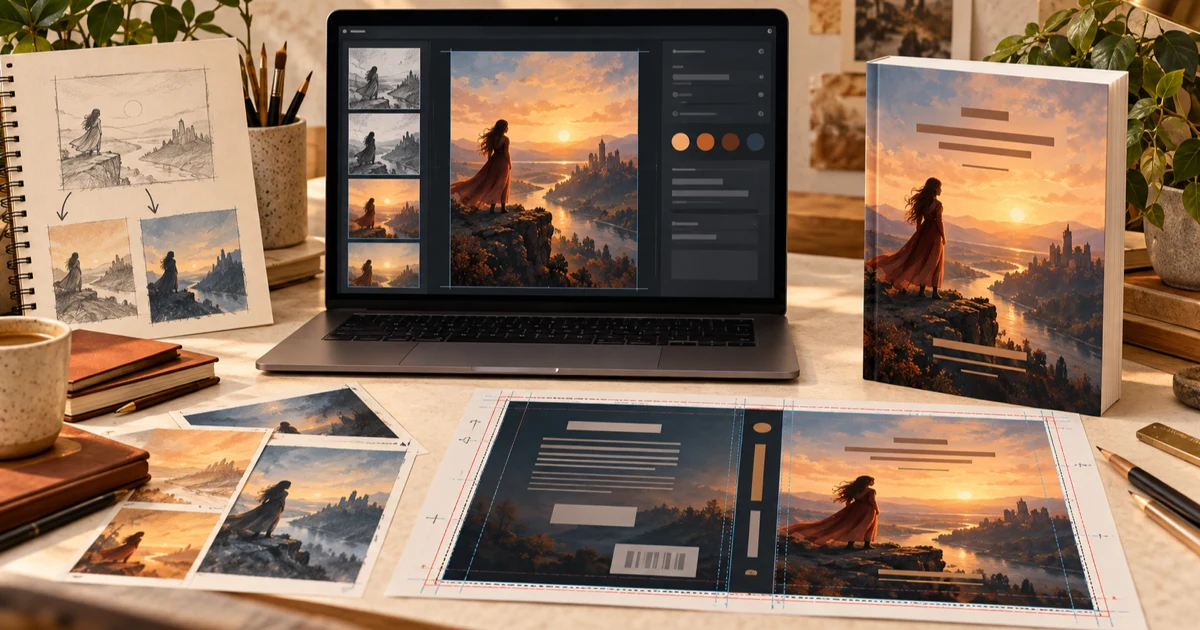
An AI book cover creator can help a self-published author move from a written brief to distinctive cover artwork, then combine that artwork with editable typography and the production layout required by Amazon KDP. The important distinction is that an attractive AI image is only the beginning. A publishable cover must also account for title hierarchy, trim size, final page count, spine width, bleed, safe areas, back-cover content, barcode clearance, and the correct file for each edition.
Quick Answer To create an Amazon KDP cover with AI, begin with the book's genre, title, author name, audience, and visual concept. Generate artwork without baked-in text, refine one strong direction, add professional typography, and test the front cover at Amazon thumbnail size. For print, place that concept on an exact full-wrap template based on trim size, final page count, paper type, binding, and bleed; add the spine and back cover, reserve barcode space, and export a print-ready PDF. Export Kindle separately as a front-only RGB image.
This workflow explains how to use AI for the creative work without overlooking the manufacturing details. If you need a measurement rather than a workflow, use the dedicated Amazon KDP cover size guide or book cover dimensions guide.
What Does an AI Book Cover Creator Do?
An AI book cover creator helps translate a book description into visual directions. Depending on the tool, it may generate original artwork, offer design templates, add editable text, resize the composition, build print layouts, or export finished files. The best use of AI is not to make every decision automatically. It is to explore ideas quickly while the author retains control over genre fit, accuracy, rights, readability, and production settings.
A useful creator should support three connected jobs:
- Concept development: turning themes, setting, mood, audience, and genre cues into visual possibilities.
- Cover design: combining selected artwork with intentional typography, hierarchy, spacing, and branding.
- Production preparation: adapting the design for Kindle, paperback, or hardcover using the correct dimensions and export format.
Some tools perform only the first job. Before choosing an amazon book cover creator, confirm whether it produces standalone art or a complete cover file.
AI Artwork vs. a Complete Publishing-Ready Book Cover
AI artwork is an image. A publishing-ready cover is a designed and technically correct communication asset. It has a job at thumbnail size, on a product page, and—if printed—as a manufactured object.
| AI artwork | Publishing-ready cover |
|---|---|
| Establishes mood, subject, setting, or texture | Communicates genre and hierarchy at a glance |
| May have arbitrary proportions | Matches the edition's exact canvas |
| Often contains no reliable typography | Uses editable, proofread title and author text |
| Does not know the final page count | Uses the correct calculated spine width |
| Has no back-cover strategy | Includes copy, spacing, and barcode clearance |
| May be suitable only for screens | Exports in the required digital or print format |
This distinction prevents a common failure: generating a beautiful portrait image, adding small text, and assuming it can be stretched across a paperback. A print cover is one continuous wrap. Its geometry should come from the finished book specifications, not from the artwork generator.
Start With Genre, Title, Author, and a Visual Concept
Before prompting, write a compact creative brief. Record the exact title, subtitle, author name, series name, genre, intended reader, emotional promise, central subject, setting, era, and preferred color direction. Add what should not appear. A thriller brief might request isolation and urgency while excluding weapons or literal scenes that misrepresent the plot.
Study current covers aimed at the same reader. Look for patterns in focal points, type scale, contrast, and color—not elements to copy. Your cover should feel native to its category while having one memorable point of difference.
Translate the brief into one clear concept rather than a list of every plot event. Strong concepts often combine:
- one dominant focal point;
- a recognizable environment or symbolic object;
- a defined mood and lighting direction;
- intentional space for the title and author name;
- a limited palette that supports the genre.
For genre-specific composition advice, the fiction book cover design guide goes deeper without mixing those creative decisions with print measurements.
Generate and Refine the Cover Artwork
Prompt for artwork, not a supposedly finished cover. Ask the image model to leave usable quiet space where the title will sit, and avoid requesting title lettering inside the generated image. AI-rendered words are difficult to correct, align, kern, or reuse across editions.
Generate several different concepts before producing small variations. Compare them against the brief: Does the image signal the intended genre? Is the focal point clear? Does the composition leave room for type? Eliminate directions that are attractive but promise the wrong reading experience.
Once a direction works, refine one variable at a time—crop, lighting, subject position, color, or background complexity. Inspect the chosen image at full size for distorted anatomy, inconsistent reflections, repeated objects, false text, and implausible details.
Also confirm the provider's current commercial terms and keep a record of the tool, date, prompt, source assets, and meaningful edits. AI output rules and copyright treatment can vary by provider and jurisdiction; commercial permission from a service is not the same thing as a guarantee of copyright protection.
Add Professional Typography
Typography turns art into a book cover. Add the title, subtitle, series line, and author name as editable text layers in the cover editor. That keeps every word crisp, proofreadable, and adaptable.
Build a simple hierarchy. The main title usually leads; the author name, subtitle, and series information support it. Check font licensing for commercial print and ebook use.
Good typography depends on more than font choice:
- create clear contrast between text and its background;
- adjust line breaks to form a strong title shape;
- refine tracking, leading, alignment, and margins;
- keep type away from faces and important details;
- avoid heavy outlines, bevels, and glow effects unless the genre truly supports them;
- proof every word, including punctuation and capitalization.
The book cover font guide provides a focused process for pairing, licensing, and testing type.
Design for Amazon Thumbnail Visibility
Most shoppers meet the cover as a small image in search results, recommendations, or a phone screen. Reduce the front cover repeatedly while designing. At thumbnail size, the main title should remain recognizable, the focal point should survive, and the category signal should still feel clear.
A useful test is to place the cover beside current books for the same audience and ask whether it makes the right promise. If the design becomes muddy, simplify the background behind the title, increase tonal separation, or strengthen the focal point.
Thumbnail performance matters for print editions too because Amazon normally presents the front panel as the product image. A detailed wrap cannot rescue a front cover that disappears in a results grid.
Turn the Front-Cover Concept Into a Paperback Wrap
A paperback needs a single wide file arranged from left to right as back cover + spine + front cover. The front design becomes the anchor, but the background must extend naturally across the spine and back. You might continue a landscape, extend a texture or color field, or create a quieter related back panel. Avoid mirroring the front mechanically or stretching the subject across the spine.
Keep important content inside safe areas. Center spine text within the actual spine guides, not a guessed canvas. Use the back for description and supporting information.
The complete construction process is covered in the full-wrap book cover guide. An AI KDP cover generator should make this adaptation easier, but you still need to review every panel.
Calculate Trim Size, Spine Width, and Bleed
Trim size is the finished width and height of one printed page. It determines the proportions of the front and back panels, not the total wrap size. Choose it before final interior formatting because a trim change alters pagination. The book trim size guide can help you choose appropriately for the genre and reading experience.
Spine width depends on the final page count, paper type, and binding specifications. Finish and export the interior first, then use its actual page count. Do not estimate from the manuscript or reuse the measurement from another book. Use the KDP spine-width and cover-size calculator guide for the formulas and current workflow.
Bleed is artwork that extends beyond the cut line so small trimming shifts do not create white slivers. Extend backgrounds through the bleed, but keep titles, names, faces, logos, and other essential elements inside safe areas. A KDP cover template maps these regions for the exact edition.
Create the Back Cover and Leave Room for the Barcode
The back cover should continue the front's visual system without competing with it. Use a concise description, readable type, short endorsements when useful, and optional author or imprint information.
Reserve a quiet, uncluttered area for the barcode. If KDP places it, the barcode should not obscure essential copy, a face, a logo, or the only important detail in the background. The book back-cover design guide explains copy hierarchy and barcode planning in detail.
Prepare Separate Kindle, Paperback, and Hardcover Editions
Reuse the creative identity, not the exact production file.
| Edition | Layout | Key inputs | Typical final file |
|---|---|---|---|
| Kindle ebook | Front only | Digital proportions and image quality | High-quality RGB JPEG or TIFF |
| Paperback | Back + spine + front | Trim, final pages, paper, bleed | Print-ready full-wrap PDF |
| Hardcover | Back + spine + front with hinges and wraps | Hardcover template, pages, binding allowances | Hardcover-specific print PDF |
The Kindle edition may need a different crop or larger subtitle. Follow the dedicated Kindle cover creation workflow. Paperback and hardcover need separate templates; hardcover hinge and wrap areas mean it is not simply a larger paperback. The edition comparison guide shows what can be shared safely.
Common AI Book-Cover Mistakes
Avoid these problems before export:
- Using AI-generated lettering. Generate clean artwork and add editable, proofread type separately.
- Designing without a genre brief. An attractive image can still attract the wrong reader.
- Adding too many symbols. One strong focal point usually works better than a plot collage.
- Ignoring artifacts. Inspect hands, objects, architecture, edges, reflections, and background details.
- Upscaling a weak source. A higher DPI label cannot restore missing detail.
- Judging only at full size. Test the front as an Amazon thumbnail throughout the process.
- Guessing print dimensions. Use the exact trim, final page count, paper, binding, and bleed settings.
- Stretching the front across a wrap. Compose the back and spine intentionally.
- Reusing one upload for every edition. Kindle, paperback, and hardcover need separate production files.
- Skipping rights review. Confirm tool terms, asset licenses, font licenses, and platform rules.
Use the common KDP cover mistakes checklist as a final production preflight.
Create an Amazon KDP Cover With Cover Studio AI
Cover Studio AI combines AI-assisted artwork with a format-aware book cover creator, so the creative and production stages can stay in one workflow.
- Define the book. Confirm the exact title, author name, genre, audience, and one focused visual concept.
- Start the right format. Choose Kindle, paperback, or hardcover. For print, enter the edition's trim size, final page count, paper, and applicable settings.
- Generate or upload artwork. Create several art directions from the brief or bring artwork you have the right to use. Keep critical lettering out of the generated image.
- Select and inspect. Choose the concept that best communicates the genre, then check details and image quality at full size.
- Compose the front. Crop around one focal point and preserve calm areas for typography.
- Add editable type. Set the title, subtitle, series line, and author name with clear hierarchy and commercial fonts.
- Test the thumbnail. Reduce the preview, compare it with category peers, and revise contrast or complexity.
- Build print panels. For paperback or hardcover, use the generated production canvas to extend the design across the spine and back while respecting guides.
- Finish the back. Add polished copy and supporting details, leaving the barcode region clear.
- Preflight and export. Verify spelling, measurements, safe areas, bleed, image quality, and format. Export Kindle as its front-only image and each print binding as its own full-wrap PDF.
- Review in KDP. Upload both the final interior and matching cover, inspect every warning and preview page, and order a physical proof for print when possible.
Ready to apply the workflow? Start a Cover Studio AI project, then keep the linked measurement guides nearby for the edition you are producing.
Frequently Asked Questions
Can AI create a book cover for Amazon KDP?
Yes. AI can generate concepts and artwork for an Amazon KDP cover, and an AI-aware cover editor can help turn that artwork into a complete design. You must still verify genre fit, typography, image details, usage rights, edition measurements, safe areas, and export settings before publishing.
Can I use an AI-generated book cover commercially?
It depends on the AI provider's current terms, the source material, and applicable law. Confirm that your plan permits commercial use, avoid protected characters, logos, or living artists' signatures, verify every uploaded asset and font license, and keep generation records. Commercial permission from a provider does not guarantee exclusive rights or copyright protection.
What size should an Amazon book cover be?
There is no single size for every Amazon cover. Kindle uses a front-only portrait image, while print dimensions depend on trim size, page count, paper type, binding, and bleed. Generate the cover from the exact settings for each edition rather than starting from a generic pixel size.
Does a KDP paperback need a back cover and spine?
Yes. A KDP paperback cover is one full-wrap file containing the back cover, spine, and front cover. Very thin books may not support spine text, but the calculated spine area is still part of the wrap.
How do I calculate the spine width?
Use the final interior page count together with the selected paper type and KDP's current formula or template tool. Finalize the interior first, because changes to fonts, spacing, trim size, or margins can change pagination and therefore spine width.
Can I use the same cover for Kindle and paperback?
You can reuse the same artwork, typography, color palette, and visual identity, but not the same upload file. Kindle needs a front-only digital image. Paperback needs a measured back-spine-front PDF with bleed and barcode planning.
How do I make an AI book cover look professional?
Start with a genre-specific brief, choose one strong focal point, remove generated text, add editable professional typography, simplify the hierarchy, inspect AI artifacts, and test the design at thumbnail size. For print, professional quality also requires an exact template, safe margins, proper bleed, sufficient resolution, and a careful export preflight.