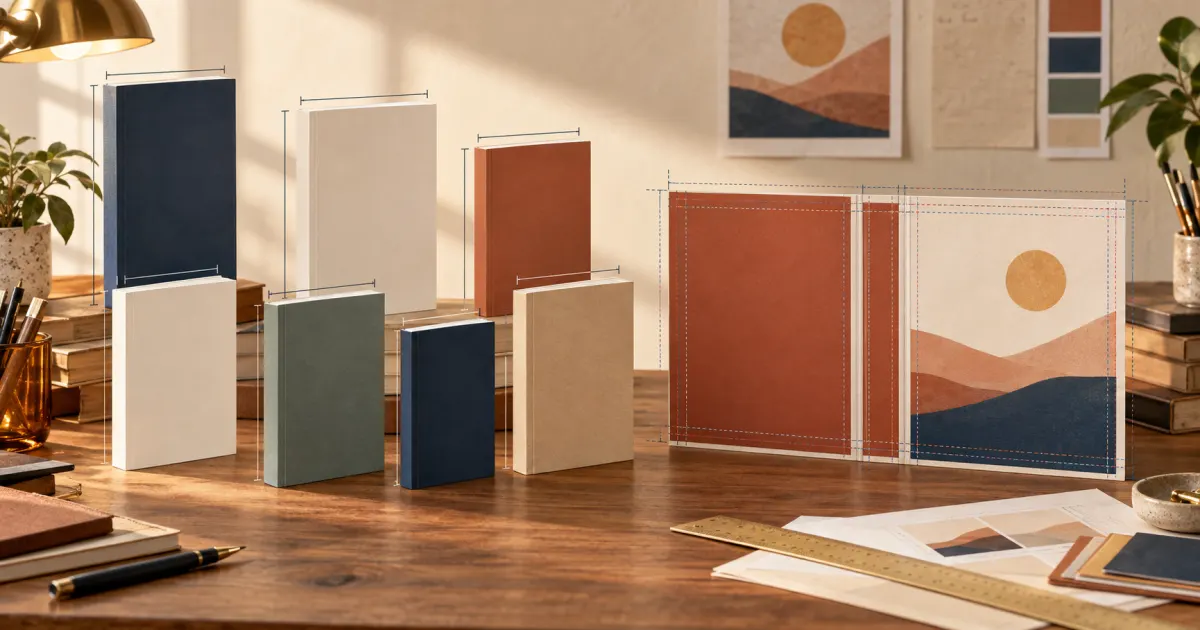
Quick answer There is no universal book cover size. For print, start with the book's trim size, then calculate a complete wrap from the back cover, spine, front cover, and bleed. For a Kindle ebook, create a separate front-only image; Amazon KDP currently recommends 1,600 × 2,560 pixels. The correct measurements depend on the edition you are publishing.
“Book cover size” can mean three different things: the size of one finished page, the size of the front panel, or the size of the complete production file. Confusing those measurements is why an apparently correct 6 × 9-inch design can fail a print-cover check.
Use the chart below to choose a likely trim-size starting point. Then confirm that the size is supported by your publisher and calculate the cover for your exact format, final page count, paper, and binding.
Book Cover Size Chart
These are common print trim sizes, not universal requirements. The best choice depends on the book's content, market, binding, and publisher.
| Trim size | Common uses | Print and ebook considerations |
|---|---|---|
| 5 × 8 in | Compact fiction, poetry, memoir | Creates an intimate print format; an ebook cover is still a separate front-only image |
| 5.25 × 8 in | Novels, short nonfiction, memoir | Slightly more page area than 5 × 8 while retaining a compact feel |
| 5.5 × 8.5 in | Trade fiction, memoir, general nonfiction | A versatile trade size; page count and paper still determine the spine |
| 6 × 9 in | Novels, business books, general nonfiction | A widely used starting point, but not the automatic answer for every book |
| 7 × 10 in | Manuals, educational books, larger nonfiction | Provides more room for diagrams, tables, and generous text layouts |
| 8 × 10 in | Workbooks, illustrated nonfiction, activity books | Supports larger visual elements; check binding and marketplace availability |
| 8.5 × 11 in | Manuals, workbooks, textbooks | A large page suited to instructional content; requires correspondingly large cover artwork |
If you are still deciding between formats, the book trim size guide explains how readability, printing cost, page count, and genre affect that decision.
What Does “Book Cover Size” Actually Mean?
Before entering any dimensions in a design tool, identify which of these three measurements you need.
1. Book trim size
Trim size is the finished width and height of one printed page after it has been cut. A “6 × 9 book” has pages that finish at 6 inches wide and 9 inches high. Trim size describes the book block, not the complete cover PDF.
2. Front cover size
The visible front panel of a paperback usually corresponds to the trim width and height. A 6 × 9-inch paperback therefore has a front panel based on 6 × 9 inches. That does not mean its uploaded print-cover file is 6 × 9 inches.
For an ebook, the front cover is the whole deliverable. It is a portrait image measured in pixels rather than a physical wrap measured in inches.
3. Full print cover size
A print-ready paperback cover is one wide file arranged:
BACK COVER + SPINE + FRONT COVER + OUTER BLEED
Its height includes the trim height plus bleed at the top and bottom. Its width includes two trim-width panels, the calculated spine, and bleed at the two outside edges. A hardcover also needs format-specific hinge and wrap allowances, so a paperback template cannot simply be reused.
That distinction is the central answer to searches for a standard size of a book cover: standard trim sizes exist, but the complete cover measurements are edition-specific.
Standard Book Cover Size: How to Choose a Starting Point
A useful standard is a comparison point, not a rule. Begin with books that share your genre, audience, and content type. Compact novels often benefit from smaller trade proportions, while a workbook with writing space or diagrams may need a larger page.
Then check practical consequences:
- Content and readability: A smaller page may need more pages or tighter typesetting.
- Page count: Interior layout changes the final pagination and therefore the spine.
- Printing cost: Page count, ink, paper, and trim can affect production cost.
- Portability: A compact novel feels different from a large instructional book.
- Artwork: The cover concept must work in the selected proportion.
- Platform support: Not every binding, ink, paper, or marketplace supports every trim size.
Lock the trim size before final pagination. Otherwise, changing it can reflow the manuscript, change the page count, and invalidate a cover you already calculated.
KDP Book Cover Size for Paperback
An Amazon KDP paperback cover cannot be calculated from trim size alone. KDP needs production details that describe the actual book:
- trim width and height
- final page count
- interior ink and paper type
- binding and reading direction
- spine width
- bleed
KDP's current paperback instructions define the cover as a single PDF containing the back, spine, and front. They also require cover bleed and explain that spine width varies with page count and paper. Review the official KDP paperback cover instructions before final export.
What a KDP print cover calculator does
A KDP print cover calculator converts the production inputs into the width and height of the full wrap. It can also generate a template showing trim lines, safe areas, the spine, and the barcode region.
Use Amazon's current KDP Cover Calculator and Templates or the Cover Studio AI paperback cover calculator after the interior is final. If the page count, paper type, trim, or binding changes, calculate again. A saved template belongs to one edition, not every edition of the title.
For a step-by-step explanation of the inputs, see how to calculate KDP book cover size. For production troubleshooting, check the common book cover mistakes.
Example: Same 6 × 9 Trim, Different Cover Measurements
Consider two paperbacks:
| Book | Trim size | Page count | What changes? |
|---|---|---|---|
| Book A | 6 × 9 in | 150 pages | Thinner book block and narrower spine |
| Book B | 6 × 9 in | 400 pages | Thicker book block and wider spine |
Both front panels are based on the same 6 × 9-inch trim. Book B contains 250 more pages, however, so its spine is wider. Because the full-wrap width includes the spine, Book B needs a wider print-cover file.
The exact difference also depends on paper type and current platform specifications. That is why the safest workflow is to finalize each interior and generate a template for each edition instead of estimating the spine or copying dimensions from another book.
Paperback Cover Dimensions and Bleed
Bleed is artwork that extends beyond the final cut line. It allows edge-to-edge backgrounds to remain continuous despite normal trimming variation. KDP currently instructs authors to add 0.125 inch (3.2 mm) at the top, bottom, and outside edges of a paperback cover.
Bleed is not visible finished space. Extend photographs, colors, and textures through it, but keep titles, author names, faces, logos, and back-cover copy within the template's safe areas. Do not add bleed between a panel and the spine; the full wrap is one continuous piece.
A production template also identifies the barcode area and spine-safe region. For guidance on composing all three panels as one design, read the full-wrap book cover guide and the book back cover guide.
eBook Cover Size and Kindle Cover Dimensions
An ebook normally needs one front-cover image. It has no physical spine, back panel, barcode box, trim line, or print bleed. That makes the file simpler, but it should still be designed specifically for digital display.
Amazon's current Kindle ebook cover criteria list:
- ideal dimensions of 1,600 pixels wide × 2,560 pixels high
- an ideal height-to-width ratio of at least 1.6:1
- JPEG or TIFF format
- RGB color
Always recheck the official page before delivery because platform requirements can change.
Pixel count is only part of the job. The artwork should begin with sufficient resolution, avoid damaging compression, and remain sharp at the intended export size. More importantly, the title, author name, focal image, and genre signal must survive at storefront-thumbnail size.
Do not upload a paperback wrap as an ebook cover. Export a dedicated front image without the spine and back. Likewise, do not stretch a Kindle image across a paperback wrap; extend or rebuild the design for print. The Kindle cover maker guide covers that front-only workflow in depth.
A Reliable Book Cover Measurement Workflow
Follow this order to avoid rebuilding the cover late in production:
- Choose the edition. Treat Kindle, paperback, and hardcover as separate deliverables.
- Select a supported trim size. Balance genre expectations, content, readability, and cost.
- Finish the interior. Finalize formatting so the page count is stable.
- Confirm paper and binding. These choices affect the production template.
- Generate current measurements. Use the publisher's official calculator or template.
- Build on the exact canvas. Respect bleed, trim, folds, safe areas, spine, and barcode space.
- Test at two scales. Inspect print details at full size and the front cover as a small thumbnail.
- Export each edition separately. Use the required color mode, file format, and image quality.
- Review the publisher preview. Treat warnings as reasons to inspect the underlying layout.
For image-quality decisions, use the book cover resolution and DPI guide. For typography that remains legible in print and thumbnails, see the book cover font guide.
From Correct Dimensions to an Effective Design
Correct book cover measurements prevent production errors; they do not create a compelling cover by themselves. A successful design also needs a clear hierarchy, genre-appropriate imagery, deliberate typography, and a focal point that works at full size and as a tiny search-result image.
Once you know the format and dimensions, create a cover with Cover Studio AI. Its format-aware workflow helps you develop Kindle, paperback, and hardcover designs without confusing a front-cover canvas with a full print wrap. You can begin with your own artwork, then compare optional AI plans if you want help generating visual concepts.
Frequently Asked Questions About Book Cover Size
What is the standard book cover size?
There is no single standard book cover size. Common print trim sizes include 5 × 8, 5.5 × 8.5, and 6 × 9 inches, but the right size depends on genre, content, binding, and publisher support. A complete print-cover file is larger than the trim size.
Is a 6 × 9-inch book cover file 6 × 9 inches?
No. Six by nine inches describes one finished page and usually the visible front panel. A paperback upload must also include the back cover, calculated spine, and outer bleed.
How do I calculate KDP book cover size?
Finalize the interior, then enter the edition's trim size, page count, ink and paper type, and binding into the current KDP cover calculator. Use the resulting full-wrap dimensions and template rather than calculating from trim alone.
What is the recommended Kindle cover size?
Amazon KDP currently recommends a front-only image measuring 1,600 × 2,560 pixels, with a 1.6:1 height-to-width ratio. Verify the official ebook cover criteria before uploading because requirements can change.
Do paperback and ebook covers use the same dimensions?
No. A paperback uses a physical back-spine-front wrap measured for one print edition. An ebook uses a front-only portrait image measured in pixels. Reuse the visual concept, but export each format from its own canvas.
Why does page count change paperback cover size?
More pages usually create a thicker book block and a wider spine. Since the spine sits between the back and front panels, a wider spine increases the total width of the print-cover file.
Should I design the cover before formatting the manuscript?
You can develop the visual concept early, but wait until pagination is final before building the production wrap. Changes to trim, typography, margins, or content can change page count and invalidate the spine measurement.